
TL;DR
At that point the gaps show up. You want more natural delivery, finer control over pacing and pronunciation, formats other than MP3, a place to keep your projects, and a clear license.
10 Best LuvVoice Alternatives for Realistic AI Voiceovers
LuvVoice is a quick way to turn text into speech for free. You paste a script, pick a voice, and download an MP3. For a short clip or a one-off test, that is often enough. The trouble starts when the voiceover is part of real work: a YouTube channel that publishes every week, a course with dozens of lessons, product videos that need updating, or a team that needs consistent voices and commercial rights.
At that point the gaps show up. You want more natural delivery, finer control over pacing and pronunciation, formats other than MP3, a place to keep your projects, and a clear license. This guide compares the 10 best LuvVoice alternatives, what each one is actually good at, where it falls short, and which one fits your use case.
Quick Comparison
| Tool | Best for | Voices and languages | Starting paid price* |
|---|---|---|---|
| Listnr | Realistic voiceovers, creators, teams, and API use | 1,000+ voices, 142+ languages | $19/month |
| ElevenLabs | Expressive voices and voice cloning | Large library, dozens of languages | Paid tiers from about $5/month |
| Murf | Corporate narration and presentations | 200+ voices, 35+ languages | About $19/month (annual) |
| Speechify | Listening to documents and articles | 200+ voices | About $11.58/month (annual) |
| NaturalReader | Reading documents aloud, education | Neural voices, many languages | About $49/month (annual, commercial) |
| Descript | Editing podcasts and videos by text | Stock voices plus cloning | About $16/month (annual) |
| VEED | Video editing with built-in voiceover | Voices plus avatars | About $12/user/month (annual) |
| Lovo | Voiceover plus a simple video editor | 500+ voices, 100+ languages | About $24/month (annual) |
| Microsoft Azure Text to Speech | Developers building at scale | Hundreds of neural voices | Usage-based |
| Amazon Polly | Developers already on AWS | Standard, neural, and generative voices | Usage-based, with a free tier |
*Competitor prices are starting prices published at the time of writing and change often. Always confirm on the vendor's pricing page before you buy.
Why People Look for a LuvVoice Alternative
LuvVoice does the basics well: a free web tool, a decent voice selection, and almost no learning curve. Most people who switch are not unhappy with the idea of LuvVoice. They have simply outgrown it. Based on its published plans and user feedback, these are the most common reasons:
Limited control over delivery. You can choose a voice and adjust speed, but shaping emphasis, pauses, and pronunciation for a long script is harder than on dedicated voiceover tools.
MP3-focused output. Downloads are built around MP3. If your editing workflow expects WAV or other formats, you need an extra conversion step.
Short-term storage. Generated audio is kept in the cloud for a limited time rather than in a long-term project library, so you need to download and organize files yourself.
No production workflow. There is no real project or team workspace, which makes it hard to revise a long script, reuse voices across episodes, or share work.
Unclear fit for commercial projects. If you are monetizing videos, running ads, or delivering client work, you want plan terms that clearly cover commercial use.
What to Look For in a LuvVoice Alternative
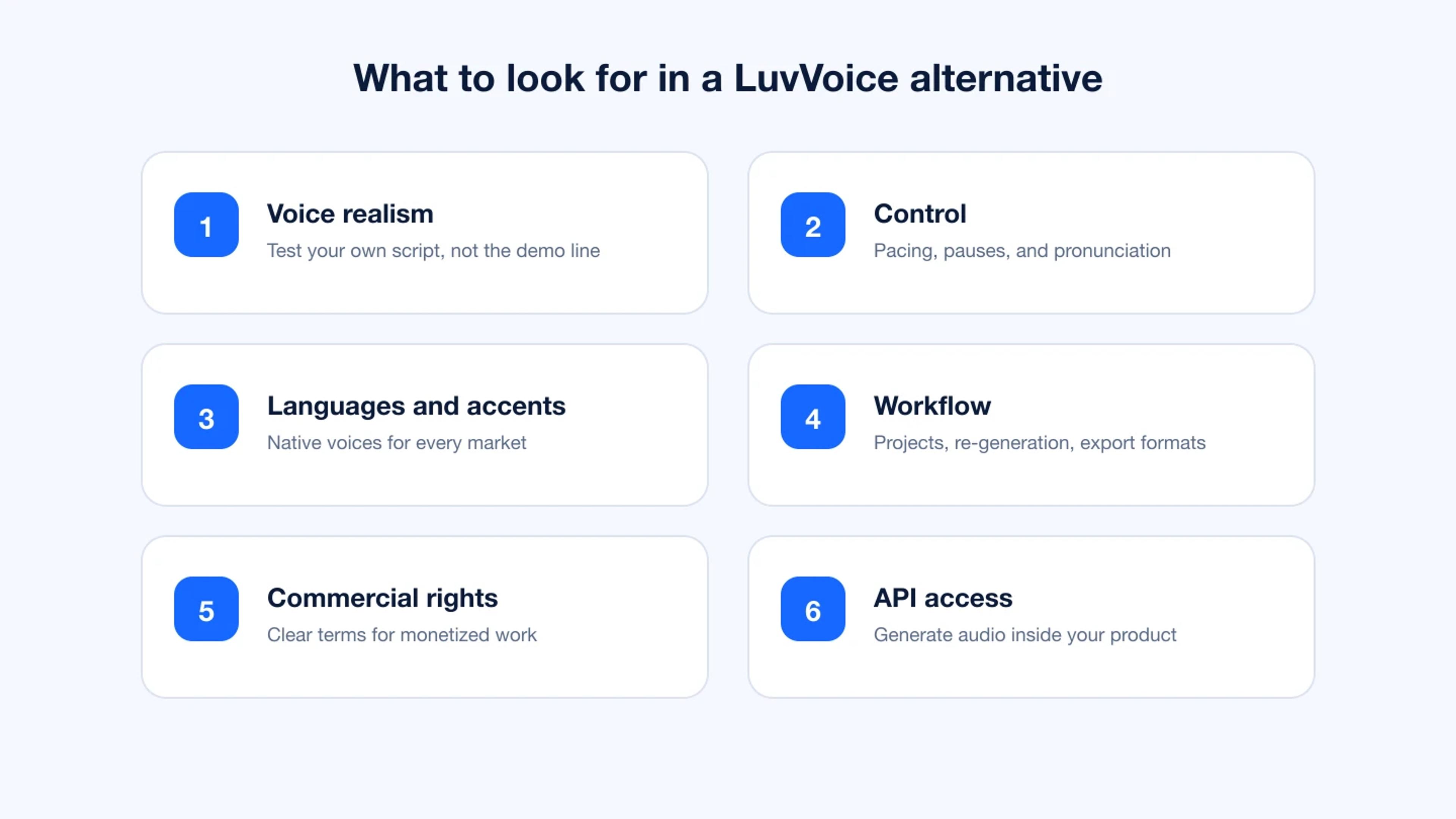
Before you compare tools, decide which of these matter most for your work.
Voice realism. Listen for natural pauses, sentence-level intonation, and how the voice handles questions, lists, and numbers. Test with your own script, not the vendor's demo line.
Control. Long scripts need control over pacing, pauses, emphasis, and pronunciation of names and brand terms.
Language and accent coverage. If you serve more than one market, check that the tool has native-sounding voices in the specific accents you need, not just the language.
Workflow. Look for projects you can come back to, easy re-generation of a single paragraph, and export formats that fit your editor.
Commercial rights. Read the plan terms. Paid plans should clearly cover monetized and client work.
API access. If you want to generate audio inside your own app or pipeline, check for a documented API.
The 10 Best LuvVoice Alternatives
1. Listnr
Best for: creators, educators, marketers, and teams who want realistic voiceovers without a complicated workflow.
Listnr is an AI voice generator built for producing finished voiceovers, not just quick text-to-speech tests. You paste or write a script, choose from 1,000+ voices across 142+ languages and accents, and fine-tune the delivery before you export.
Where LuvVoice is a fast free utility, Listnr is set up for repeat production. You can keep projects, revise a single section without regenerating everything, adjust pauses and pacing, and download as many times as you need. Paid plans include commercial rights, so the same voiceover can go into a monetized YouTube video, an ad, or a client project.
Key features:
- 1,000+ realistic AI voices in 142+ languages and regional accents
- Control over pacing, pauses, and pronunciation
- Unlimited downloads and exports on paid plans
- Audio embeds for blogs and websites
- Listnr Studio for turning scripts into finished short videos with voiceover
- A text to speech API for generating audio inside your own product
Pros:
- Large voice library with strong regional accent coverage
- Simple editor that works for beginners and long scripts alike
- Commercial rights on paid plans
- Free plan to test voices before paying
Cons:
- The free plan is for testing; regular production needs a paid plan
- The large library takes a few minutes to filter down to your favorites
Pricing: Free plan with 1,000 credits and no credit card. Paid plans start at $19/month (Individual), with Solo at $39/month and Agency at $99/month. Annual billing is cheaper.
2. ElevenLabs
Best for: highly expressive narration and voice cloning.
ElevenLabs is known for emotive voices and strong voice cloning. It is popular for audiobooks, character work, and creators who want a cloned version of their own voice.
Pros: very expressive delivery, mature voice cloning, a large community voice library.
Cons: character-based limits can run out quickly on long projects, and costs rise fast as usage grows. Language coverage is narrower than the largest multilingual libraries.
Pricing: free tier available; paid plans start at a few dollars a month and scale with characters.
3. Murf
Best for: corporate narration, presentations, and training videos.
Murf focuses on business voiceovers, with a studio that syncs voice to slides and video and controls for pitch, speed, and emphasis.
Pros: clean editor for slide-based projects, pronunciation controls, team workspaces.
Cons: a smaller voice and language selection than the largest libraries, and voice cloning sits on higher tiers.
Pricing: paid plans from about $19/month billed annually.
4. Speechify
Best for: listening to documents, articles, and books.
Speechify is primarily a reading tool. It reads PDFs, web pages, and scanned text aloud across browser, desktop, and mobile apps, with offline listening and OCR.
Pros: excellent for personal listening and accessibility, apps on every platform.
Cons: built for consumption, not production. The free voices sound basic, and it offers less control for creating polished voiceovers.
Pricing: paid plans from about $11.58/month billed annually.
5. NaturalReader
Best for: reading documents aloud in education and the workplace.
NaturalReader imports PDF, Word, and EPUB files, includes OCR, and offers a pronunciation editor and multiple voices per document.
Pros: strong document support, works across platforms, commercial licensing available.
Cons: prosody can sound unnatural on complex text, and the commercial plan is relatively expensive.
Pricing: commercial plans from about $49/month billed annually.
6. Descript
Best for: podcasters and video editors who want to edit audio by editing text.
Descript is an editor first. You transcribe a recording, edit the transcript, and the audio follows. It also offers stock AI voices and voice cloning for fixing lines.
Pros: text-based editing is fast, filler-word removal, good collaboration tools.
Cons: text to speech is a supporting feature, not the main product. Large projects can feel heavy, and transcription struggles with names and accents.
Pricing: paid plans from about $16/month billed annually.
7. VEED
Best for: making videos in the browser with voiceover, subtitles, and avatars in one place.
VEED is an online video editor with AI voices, avatars, automatic subtitles, and screen recording.
Pros: easy interface, everything for a short video in one tool, review and collaboration features.
Cons: the free plan adds a watermark and lowers export quality, and large files can lag. Voice options are narrower than a dedicated voice platform.
Pricing: paid plans from about $12/user/month billed annually.
8. Lovo
Best for: creators who want voiceover and a basic video editor together.
Lovo offers a large voice library with emotional styles, voice cloning, and a built-in video editor with subtitles.
Pros: wide voice and language selection, integrated editor.
Cons: pricing climbs for heavy users, and commercial rights are limited to paid tiers.
Pricing: paid plans from about $24/month billed annually.
9. Microsoft Azure Text to Speech
Best for: developers and enterprises building voice into their own products.
Azure offers hundreds of neural voices, custom brand voices, SSML control, batch synthesis, and real-time streaming through APIs and SDKs.
Pros: enterprise reliability, deep control, strong fit if you already use Azure.
Cons: no friendly editor for creators, a steep learning curve, and costs that need monitoring at scale.
Pricing: usage-based.
10. Amazon Polly
Best for: developers already building on AWS.
Amazon Polly provides standard, neural, long-form, and generative voices, with SSML and custom lexicons for pronunciation.
Pros: natural neural voices, fine pronunciation control, easy to plug into AWS workflows, a free tier for new accounts.
Cons: developer-only, so no editor for creating voiceovers by hand, plus quotas and throttling to plan around.
Pricing: usage-based, with a free tier.
Which LuvVoice Alternative Should You Choose?
For YouTube, social video, and podcasts: Listnr. It covers realistic voices, many accents, unlimited exports on paid plans, and commercial rights, and Listnr Studio can turn the same script into a short video.
For courses and training: Listnr or Murf. Both handle long scripts well. Listnr has broader language coverage if you localize lessons.
For voice cloning and character work: ElevenLabs.
For listening to documents yourself: Speechify or NaturalReader.
For editing recorded audio and video: Descript or VEED.
For building voice into an app: Listnr's text to speech API if you want a simple REST API with a large voice library, or Azure and Amazon Polly if you are already committed to those clouds.
How to Switch from LuvVoice to Listnr
- Sign up for a free Listnr account. No credit card is needed.
- Paste a script you have already produced with LuvVoice.
- Filter voices by language, accent, and gender, then preview two or three.
- Adjust pauses and pacing, and fix any names that need a different pronunciation.
- Generate, listen back, and export. Compare it side by side with your old LuvVoice file.
Testing with a script you already know is the fastest way to hear the difference.
FAQs
What is the best free LuvVoice alternative?
Listnr is a strong free alternative because its free plan lets you preview 1,000+ voices in 142+ languages and generate audio with starter credits, with no credit card required. ElevenLabs also has a free tier. For regular production or commercial work, plan on a paid tier with any tool.
Is LuvVoice good enough for YouTube videos?
LuvVoice can work for occasional short videos. Channels that publish regularly usually need more natural delivery, finer control over pacing and pronunciation, a place to keep projects, and plan terms that clearly cover monetized content. That is where a tool like Listnr fits better.
Which LuvVoice alternative has the most languages?
Among creator-friendly tools, Listnr offers some of the widest coverage with 142+ languages and many regional accents. Developer platforms like Microsoft Azure also cover many languages but require coding.
Can I use AI voiceovers commercially?
Yes, as long as your plan includes commercial rights. Listnr's paid plans include commercial rights. Always check the terms of whichever tool you use before publishing monetized videos, ads, or client work.
Which LuvVoice alternative sounds the most realistic?
Realism depends on the script and the voice you pick. Listnr and ElevenLabs are both known for natural-sounding voices. The best test is to generate the same paragraph from your own script in two or three tools and listen back.
Do any LuvVoice alternatives offer an API?
Yes. Listnr offers a text to speech API, and Microsoft Azure and Amazon Polly are developer-first platforms. ElevenLabs also has an API. Pick based on voice quality, language coverage, and how simple the integration needs to be.
Conclusion
LuvVoice is a fine starting point for quick, free text to speech. Once voiceovers become part of regular work, you need more realistic voices, more control, longer-term projects, and clear commercial rights.
For most creators and teams, Listnr is the best all-round LuvVoice alternative: 1,000+ voices across 142+ languages, fine control over delivery, unlimited exports on paid plans, and an API for developers. Start with the free plan, run one of your existing scripts through it, and compare the result.
Sources
Frequently asked questions
What is the best free LuvVoice alternative?
Listnr is a strong free alternative because its free plan lets you preview 1,000+ voices in 142+ languages and generate audio with starter credits, with no credit card required. ElevenLabs also has a free tier. For regular production or commercial work, plan on a paid tier with any tool.
Is LuvVoice good enough for YouTube videos?
LuvVoice can work for occasional short videos. Channels that publish regularly usually need more natural delivery, finer control over pacing and pronunciation, a place to keep projects, and plan terms that clearly cover monetized content. That is where a tool like Listnr fits better.
Which LuvVoice alternative has the most languages?
Among creator-friendly tools, Listnr offers some of the widest coverage with 142+ languages and many regional accents. Developer platforms like Microsoft Azure also cover many languages but require coding.
Can I use AI voiceovers commercially?
Yes, as long as your plan includes commercial rights. Listnr's paid plans include commercial rights. Always check the terms of whichever tool you use before publishing monetized videos, ads, or client work.
Which LuvVoice alternative sounds the most realistic?
Realism depends on the script and the voice you pick. Listnr and ElevenLabs are both known for natural-sounding voices. The best test is to generate the same paragraph from your own script in two or three tools and listen back.
Do any LuvVoice alternatives offer an API?
Yes. Listnr offers a text to speech API, and Microsoft Azure and Amazon Polly are developer-first platforms. ElevenLabs also has an API. Pick based on voice quality, language coverage, and how simple the integration needs to be.
Sources
Listnr · Source for Listnr voice library, language coverage, and product positioning.
Listnr · Source for Listnr free plan, paid plan names, and starting prices.
Listnr · Source for Listnr API availability and developer use cases.
Listnr · Source for Listnr Studio access and script-to-video workflow.
About Listnr Team
Listnr Team writes and curates content for the Listnr editorial workflow.