2,000+ new Ultra voices are live. 130+ languages, with a persona for every script.
Explore voices2,000+ new Ultra voices are live. 130+ languages, with a persona for every script.
Explore voices
Google Drive Downloader
Download Google Drive files directly and export Docs, Sheets and Slides. Generate direct download links for Google Drive content.
Trusted by 3.5m users across 150+ countries





Direct link generator
Direct Link Generation
The file must be shared with “Anyone with the link”.
Docs, Sheets & Slides Export
Up to 5 links at a time.
Bulk Download
Why choose Listnr's Google Drive Downloader?
Listnr AI's Google Drive Downloader is the ultimate tool for accessing Google Drive content directly. Generate direct download links for Google Drive files and export Docs, Sheets and Slides, bypassing the preview interface for faster downloads on any device – phone, PC, or tablet.
Our Google Drive Downloader supports all file types including Google Docs, Sheets, Slides, and media files. Whether you're using Android or iOS, Listnr AI ensures you get direct access to your Google Drive content quickly and securely. Access Google Drive files with Listnr AI's Google Drive Downloader – your go-to tool for seamless, direct downloads.
100% Safe and Ad-Free Downloading Experience
Other Video Use Cases
More Video & Downloader Tools
Explore other powerful tools for your content.
Frequently Asked Questions
Customer Reviews
Top-rated on TrustPilot
Excellent TTS + Podcasting combo
I've been a Listnr TTS user for a few months now and I'm very impressed with the features and the development done on the tool so far. The voices work like a charm, and there are so many of them. The limits are great for the price. The UI is sleek. Recently, they have launched their podcasting solution called Listnr.fm and I've started testing it and the experience has been good until now.
Nilayan Ghosh
Turn Google Drive videos and scripts into polished AI voiceovers
Pull videos, decks, or scripts from Drive and turn them into narrated demos, walkthroughs, training audio, or multilingual voice tracks with Listnr's AI voice generator.
From download to voiceover
Download the video or script from Google Drive
Paste the script or key talking points into Listnr
Generate a polished AI voice track for your content
Create narration for shared demos, tutorials, and internal training assets.
Produce consistent voiceovers for client deliverables without studio recording.
Reuse one source file to generate audio in multiple languages.
Use your Voice
with the New
Listnr TTS Editor
The best text to speech experience on the internet.
Know More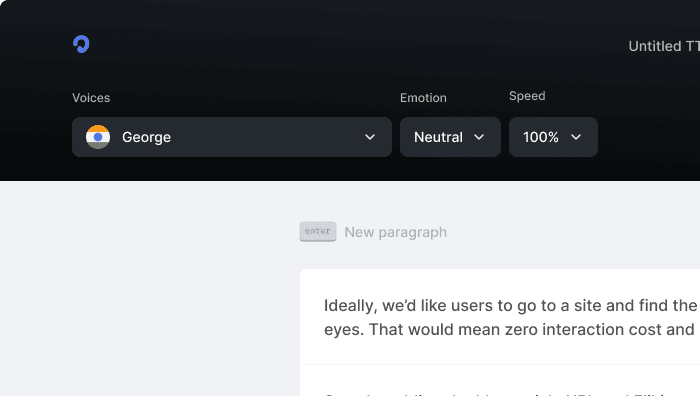
Products
Text to SpeechText to Speech OnlineSpeech to TextVoice CloningPodcast StudioToolsAI TranslatorVideo Use Cases
Video Ad GeneratorAI Video GeneratorFacebook Reels GeneratorInstagram Reels GeneratorVideo Subtitle GeneratorText to Video GeneratorYouTube Channel Name GeneratorInstagram Name GeneratorFacebook Hashtag GeneratorTikTok Hashtag GeneratorTwitter Bio GeneratorYouTube Video Tags GeneratorYouTube Video Title GeneratorYouTube Video Description GeneratorYouTube Keyword GeneratorResources
SupportContactsGuidesPrivacyTermsEthics & SafetyDownloaders
YouTube Video DownloaderYouTube to MP4Extract Audio from YouTube VideoFacebook Video DownloaderInstagram Video DownloaderTikTok Video DownloaderTikTok Audio DownloaderTwitter Video DownloaderFree AI Thumbnail MakerGoogle Drive DownloaderReddit Video DownloaderPinterest DownloaderVideo CompressorImage CompressorFree AI Thumbnail MakerInstant Text to ImageComparisons
Listnr vs PlayAIListnr vs TTSmp3Listnr vs SpeecheloListnr vs VoicemakerListnr vs MurfListnr vs FlikiListnr vs NotevibesListnr vs FakeYouListnr vs UberduckListnr vs ElevenLabsListnr vs WellSaid LabsListnr vs SynthesiaListnr vs NaturalReaderListnr vs Resemble AIListnr vs TypecastListnr vs RevoicerListnr vs Voice DreamListnr vs NeuphonicListnr vs NuanceListnr vs Wavel AIListnr vs Unreal SpeechListnr vs Amazon PollyListnr vs TTSReaderListnr vs Cartesia AIListnr vs NarakeetListnr vs SpeechGenListnr vs TTSMakerListnr vs DeepgramListnr vs BalabolkaListnr vs SpeechifyListnr vs LOVOExplore AlternativesAI Apps