
TL;DR
Product demos are usually judged by the screen recording, but the voiceover is what makes the viewer feel guided. A clean UI walkthrough can still feel confusing if the narration is flat, rushed, or too polished for the…
Best AI Voices for Product Demos in 2026
Product demos are usually judged by the screen recording, but the voiceover is what makes the viewer feel guided. A clean UI walkthrough can still feel confusing if the narration is flat, rushed, or too polished for the product. The best demo voices do three jobs at once: explain the product, control the pace, and make the viewer trust what they are seeing.
That is why AI voiceovers have become useful for SaaS teams, onboarding teams, educators, and agencies. They remove the production bottleneck without forcing every demo to sound like a generic robot reading a script. The real question is no longer whether AI can create a usable voiceover. The question is which kind of AI voice fits your product demo.
Quick comparison
| Voice style | Best for | What to listen for | Where Listnr fits |
|---|---|---|---|
| Clear product narrator | SaaS walkthroughs, onboarding, help videos | Neutral confidence, crisp pacing, low distraction | Best default for most demos |
| Friendly explainer | Consumer apps, creator tools, mobile products | Warmth, approachability, natural pauses | Strong for top-of-funnel demo videos |
| Executive presenter | Enterprise software, sales enablement, investor demos | Authority, polish, slower delivery | Useful when credibility matters more than speed |
| Energetic launch voice | Feature releases, ads, product updates | Momentum, brightness, CTA strength | Good for short product videos and social clips |
| Localized native voice | Global demos, regional campaigns, education | Native accent, pronunciation accuracy, cultural fit | Listnr is especially strong here with 1,000+ voices in 142+ languages |
What makes a good AI voice for a product demo?
A product demo voice should disappear into the experience. If the viewer is thinking about the voice, something is usually off. The narration should feel like a skilled product marketer sitting next to the viewer, pointing out what matters and giving them time to follow the screen.
The first test is clarity. Product demos often contain proper nouns, feature names, UI labels, and workflow steps. A voice that sounds impressive in a dramatic sample can fall apart when it has to say "workspace permissions," "campaign analytics," or "export as CSV" without weird emphasis.
The second test is pacing. Most demo scripts are written too dense. A good AI voice gives you enough control to slow down at the important moments, add pauses between actions, and avoid racing through the product. This matters because demo viewers are usually watching and listening at the same time. The voice has to leave space for the screen.
The third test is tone. A support walkthrough should not sound like a launch trailer. A sales demo should not sound like an audiobook. The right voice depends on the promise your product is making.
The best AI voice styles for product demos
1. The clear product narrator
This is the safest voice style for most product demos. It sounds calm, direct, and useful. It does not overact. It does not try to make every feature feel dramatic. It simply explains the product in a way that makes the viewer feel oriented.
Use this voice for SaaS walkthroughs, dashboard tours, onboarding videos, help center clips, and product education. If your demo includes a lot of UI movement, choose a voice with clean pronunciation and medium pace. You want the viewer to follow the cursor without feeling pushed.
In Listnr, this is the style I would start with for most B2B demos. Choose a natural English voice, paste the script scene by scene, then preview the audio against the screen recording. If one section feels rushed, add a pause rather than rewriting the whole script.
2. The friendly explainer
Some products need to feel easy before they feel powerful. Consumer apps, creator tools, wellness products, education products, and lightweight productivity software often work better with a warmer voice. The viewer should feel like the product is approachable, not like they are being trained by an enterprise sales deck.
This voice style is slightly more conversational. It can handle lines like "Let's create your first project" or "Now you can invite your team" without sounding stiff. The risk is going too casual. If the voice sounds overly cheerful, it can make a serious product feel less credible.
Use a friendly explainer for homepage videos, trial onboarding, product-led growth flows, and tutorials where the viewer is new to the category.
3. The executive presenter
Enterprise demos have a different job. The viewer is often evaluating risk, not just features. They want to know whether the product feels mature enough for their team, their data, and their workflow.
An executive presenter voice should sound measured, confident, and polished. The delivery can be slower. The pauses can be longer. The script can use more precise language. This is a good fit for sales enablement, board-level product videos, security demos, compliance workflows, and account-based marketing assets.
The mistake here is picking a voice that sounds too theatrical. Enterprise buyers do not need drama. They need confidence.
4. The energetic launch voice
Feature launch videos and short product updates need more momentum. The viewer may be seeing the video inside an email, a social feed, a changelog, or a product announcement. You have less time to earn attention.
An energetic launch voice should sound bright without sounding fake. It should move quickly, but not so quickly that the product details get lost. This works best for short videos under 90 seconds, especially when the visuals are simple and the message is focused.
Use this style for new feature announcements, social clips, short ads, and release videos. Keep the script tight. The voice can create momentum, but it cannot rescue a bloated script.
5. The localized native voice
Localization is where AI voiceovers become more than a cost saver. If your product serves users in multiple markets, English-only demos leave adoption on the table. A native-language product demo often feels more helpful because the viewer does not have to translate the product in their head.
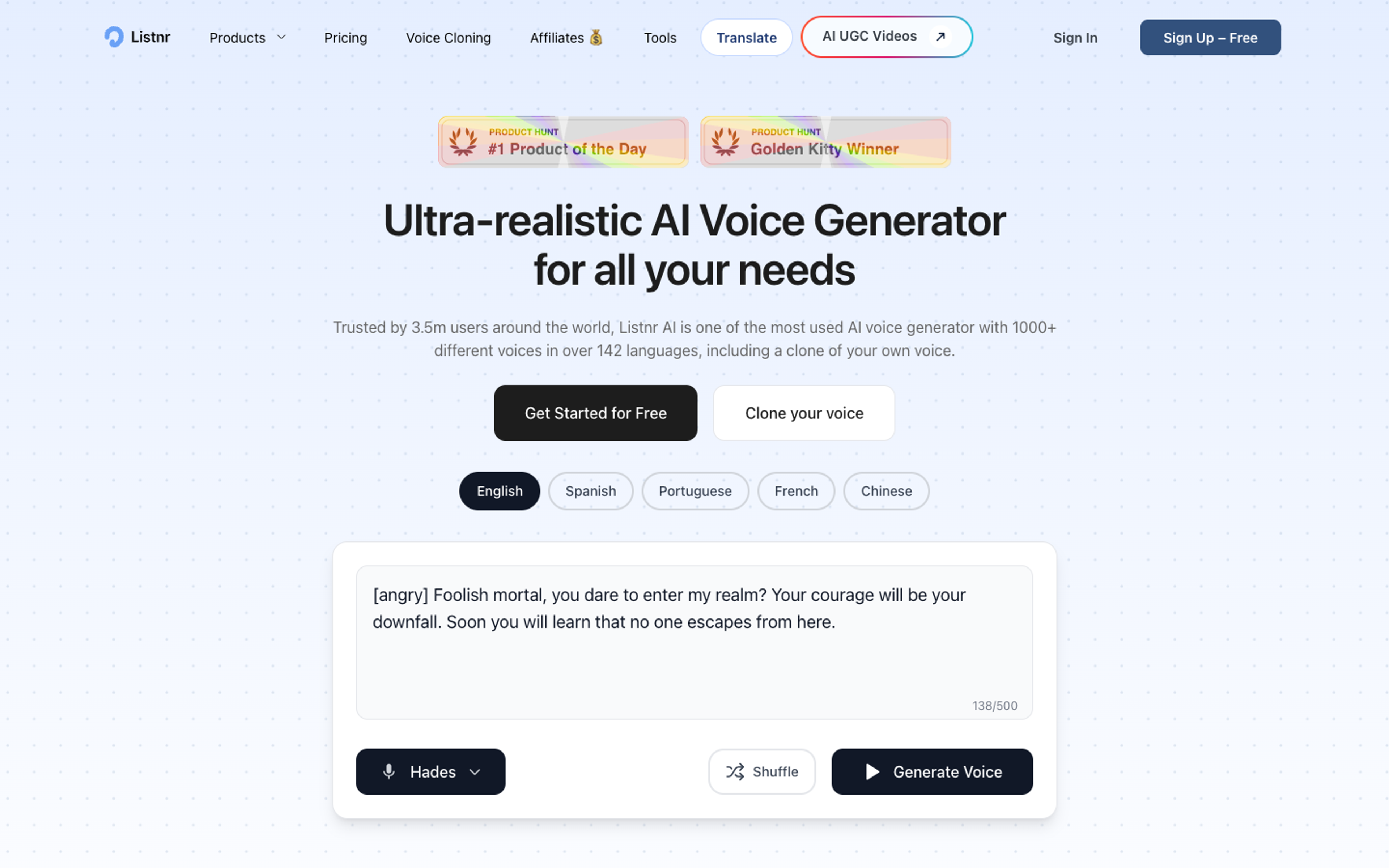
This is where Listnr is especially useful. With 1,000+ voices across 142+ languages, you can create product demos for regional campaigns, onboarding flows, customer education, and support content without rebuilding the entire production process each time.
The important part is quality control. Do not only translate the script. Review product names, idioms, UI labels, and pacing. A localized demo should sound like it was made for that market, not like an English demo passed through a machine.
How to choose the right AI voice in Listnr
Start with the viewer, not the voice library. A new user watching a setup tutorial needs a different voice from a procurement lead watching an enterprise workflow. The product may be the same, but the emotional job is different.
For most product demos, use this simple selection process:
- Define the viewer. Is this for a trial user, buyer, customer, support ticket, or internal team?
- Define the moment. Is the video explaining, selling, onboarding, teaching, or announcing?
- Pick the tone. Choose clear, friendly, executive, energetic, or localized.
- Test the first 20 seconds. If the intro feels slow or robotic, the rest will usually feel worse.
- Match voice to visuals. Preview the narration against the screen recording, not only in isolation.
Listnr works well here because it gives teams a broad enough voice library to test several directions quickly. You can generate a practical first pass, compare a few voices, and then refine pacing before exporting the final audio.
A practical workflow for demo voiceovers
Write the script after the screen recording, not before. Most teams write the script first, record the screen second, and then wonder why the voiceover feels disconnected. The better workflow is to map the visual actions first and write narration around them.
A simple demo script can be structured like this:
- Hook: Name the problem in one sentence.
- Context: Explain what the viewer is about to see.
- Action: Walk through the product step by step.
- Outcome: Show what changed after the action.
- CTA: Tell the viewer what to do next.
Once the script is ready, paste it into Listnr in short sections. Generate the first version, listen once without the visuals, then listen again while watching the demo. The second pass is where most quality problems show up. You will hear where the voice runs ahead of the cursor, where a feature name needs clearer pronunciation, and where a pause would help.
For longer demos, avoid producing one giant audio file. Break the narration into logical blocks. This makes it easier to replace a section when the UI changes, localize one part of the demo, or reuse a clip in onboarding and support content.
Script tips that make AI voices sound better
AI voices perform better when the writing sounds like speech. That does not mean dumbing the script down. It means removing the sentences no human would say out loud.
Bad demo scripts usually have three problems. They explain too much, they use internal product language, and they cram several visual actions into one sentence. The result is a voiceover that sounds busy even if the voice is technically good.
Use shorter sentences. Put one product action in one sentence. Say the UI label exactly when the viewer sees it. Add a pause before important outcomes. If your product name or feature name is unusual, test that sentence by itself before generating the full narration.
Also, do not hide behind vague benefits. "Streamline your workflow" is weaker than "Create the campaign, invite your team, and approve the first draft in one place." Product demos work when the voice names the thing the viewer can actually do.
Why AI voiceovers work well for product teams
The biggest advantage is iteration speed. Product demos age quickly. UI changes, pricing pages move, onboarding flows improve, and new features ship. If every update requires booking a voice actor, waiting for a recording, and syncing revisions manually, the demo library gets stale.
AI voiceovers make demos easier to maintain. A product marketer can update one paragraph, regenerate the section, and keep the video current. A customer education team can turn one English tutorial into several localized versions. A startup can create credible voiceovers before it has the budget for a full production setup.
There is also a distribution benefit. Video continues to be a core format for product education and marketing. Research from Wyzowl consistently shows that marketers use video heavily to explain products and support purchase decisions. Better narration improves that asset because it helps viewers understand the product faster.
Where AI voiceovers still need human judgment
AI voices are good enough for many product demos, but they do not remove the need for taste. You still need someone to decide whether the tone fits the product, whether the script is honest, and whether the viewer can actually follow the screen.
The common mistake is treating voice generation as the final step. It should be part of the editing loop. Generate, listen, revise the script, adjust pauses, test with the video, then export. The final result should feel intentional.
For high-stakes launches, consider testing two or three voice directions with a small group. Ask which one makes the product easier to understand, not which one sounds most impressive. Product demos are clarity assets first.
Conclusion
The best AI voice for a product demo is the one that makes the product easier to understand. For most teams, that means choosing clarity over drama, pacing over speed, and fit over novelty.
Listnr is a strong choice for this workflow because it gives product teams the range to create clear English demos, warmer explainer videos, polished enterprise walkthroughs, and localized versions from the same production process. Start with one short demo, test two or three voices, and keep the one that makes the product feel simplest.
Frequently asked questions
What is the best AI voice for a product demo?
For most demos, pick a clear product narrator: calm, neutral confidence, crisp pronunciation, and pacing that leaves room for the screen. If the viewer notices the voice, it’s usually the wrong voice (or the script is too dense).
Can I use AI voices for commercial product demos?
Usually yes, but only if your provider’s license covers commercial usage. Treat this like stock music: don’t assume. If you’re publishing demos on your site, in ads, or in sales enablement, confirm your plan includes commercial rights and export.
How long should a product demo voiceover be?
Marketing demos tend to work best under ~90 seconds. Onboarding/support can be longer, but should be broken into short chapters so you can replace a section when the UI changes instead of redoing the whole thing.
Should I localize product demos with AI voices?
If you have meaningful non-English traffic or sales motion, yes—localization is one of the few changes that can materially improve comprehension and trust. The catch: you need QA on product names, UI labels, and pacing so it doesn’t feel like a translation artifact.
How do I make an AI voiceover sound less robotic?
Fix the script first: shorter sentences, one UI action per sentence, and intentional pauses. Then test multiple voices against the actual screen recording (not just in a voice preview). Most “robotic” demos are actually “documentation read aloud.”
Sources
Listnr · Referenced for Listnr positioning and multilingual voice library claim as stated in the source body.
Wyzowl · Cited in the source body to support the claim that video is heavily used for product education and purchase decisions.
About Listnr Team
Listnr Team writes and curates content for the Listnr editorial workflow.