
6 Best TikTok Captions Apps
Captions not only make your TikTok videos more accessible but also increase viewer engagement by ensuring your content can be enjoyed even when the sound is off. Let’s explore the 6 Best TikTok Captions Apps to help you create content that stands out.
1. Listnr.ai
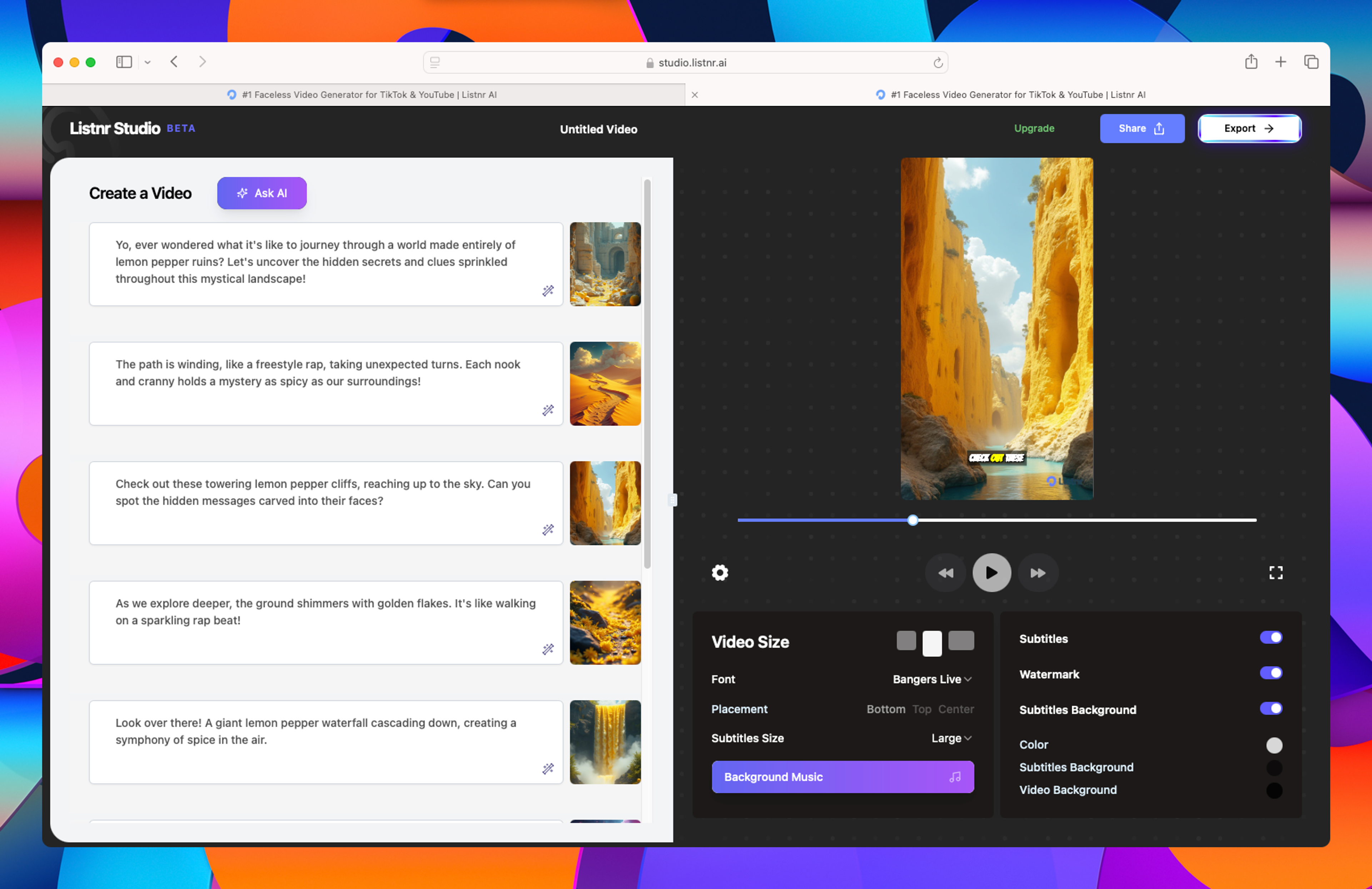
Listnr.ai is perfect for TikTok creators looking to add both captions and voiceovers in multiple languages. Its easy-to-use interface, combined with its AI-generated voices, makes it a top choice for short-form content like TikTok.
Pros:
- Supports over 1000 voices in 142 languages
- Great for adding both captions and voiceovers
- Perfect for TikTok’s short-form content
- Fast processing and user-friendly interface
Cons:
- Limited advanced video editing options
- Subscription required for full access
- Not ideal for long-form video content
- Limited customization for voices
Top features:
- Voice-to-text captioning in 142 languages
- Over 1000 customizable voices
- Ideal for short-form video platforms like TikTok
- Easy-to-use interface for quick content creation
Pricing: Listnr.ai offers a free version with limited features and paid plans starting at $19 per month.
2. Zubtitle
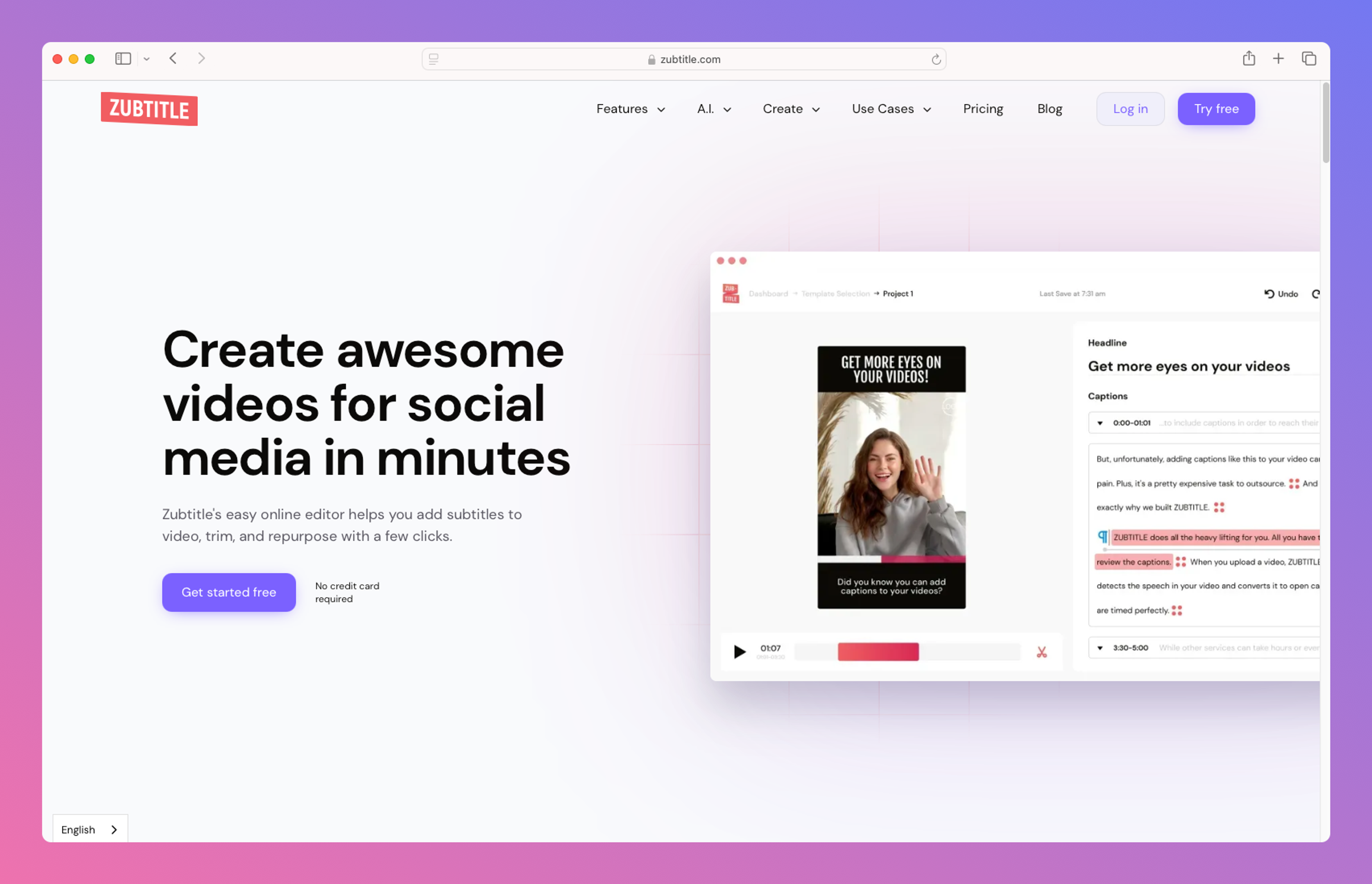
Zubtitle is best for TikTok creators who need quick and automatic captions for their videos. It’s designed for social media platforms and allows users to generate captions in just a few clicks.
Pros:
- Automatic captions specifically for social media
- Simple and quick to use with no learning curve
- Customizable text styles and fonts
- Ideal for short-form content like TikTok videos
Cons:
- Limited to short-form videos
- Watermarks in the free version
- Not suitable for complex video editing
- Limited export options in the free plan
Top features:
- Auto-captioning designed for social media platforms
- Customizable fonts and text styles for captions
- Easy-to-use interface with no prior editing skills required
- Quick processing, ideal for TikTok creators
Pricing: Zubtitle offers a free version with watermarks. Paid plans start at $19 per month.
3. ZapCap
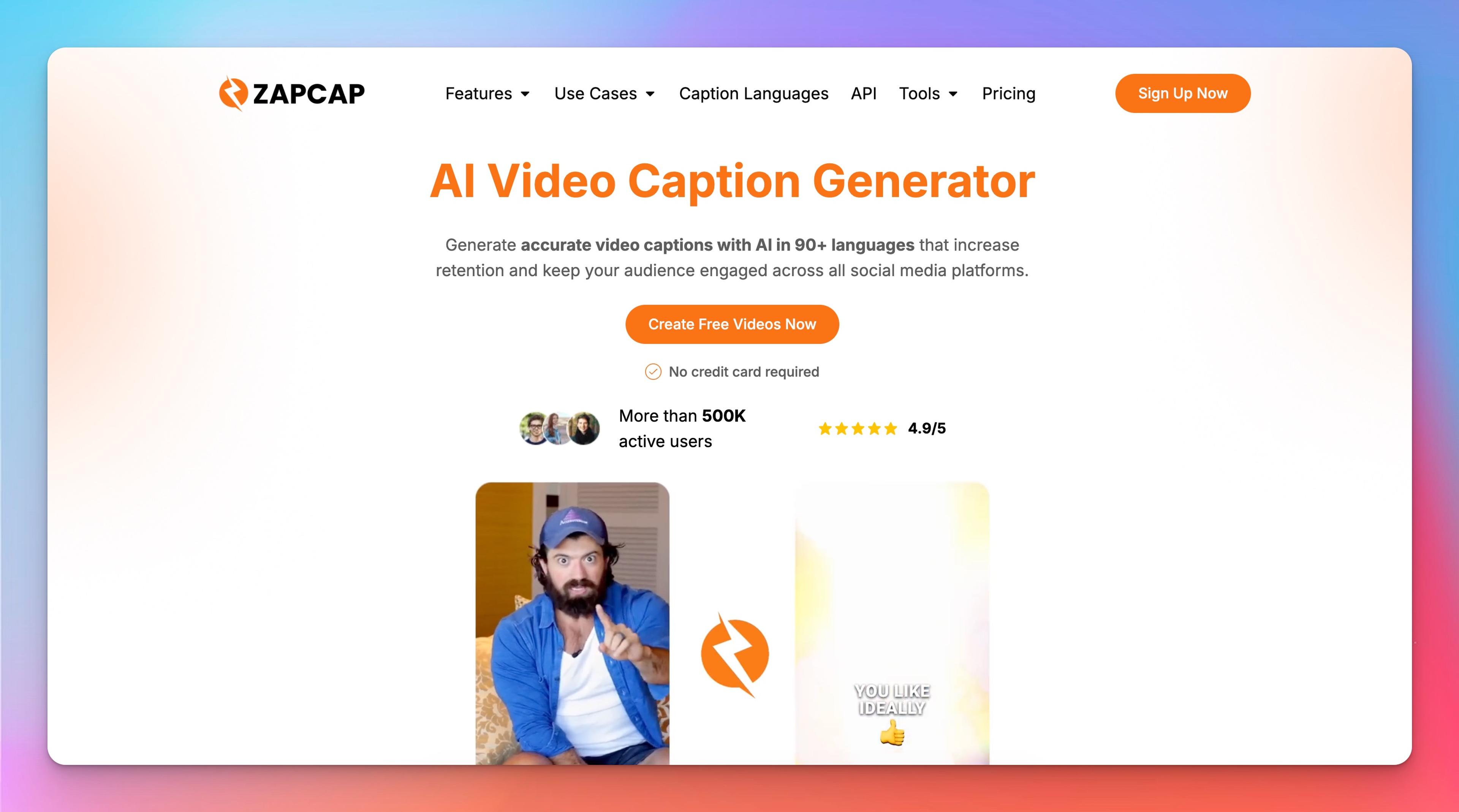
ZapCap is an AI-powered caption generator built specifically for short-form content creators who want professional-looking TikTok captions without spending time on manual editing. The platform automatically transcribes videos, generates animated captions, and applies styles inspired by viral TikTok content, helping creators boost engagement and watch time.
Pros:
- Automatic caption generation with high accuracy
- TikTok-style animated subtitles and caption templates
- Supports multiple languages
- Fast cloud-based processing
- Beginner-friendly interface
Cons:
- Advanced features require a paid plan
- Primarily focused on captioning rather than full video editing
- Limited editing capabilities compared to comprehensive video editors
Top features:
- AI-powered TikTok caption generator
- Animated subtitle styles optimized for TikTok, Reels, and Shorts
- Customizable fonts, colors, and caption templates
- Multi-language transcription and translation support
- Automatic emoji integration and social-media-ready formatting
- One-click export for short-form video platforms
Pricing: ZapCap offers a free plan for getting started. Paid plans begin at $10 per month, with higher tiers providing additional processing minutes, premium templates, and advanced creator features.
4. VEED
VEED is a great choice for TikTok creators who need easy and accurate captioning. It features automatic caption generation and provides customizable text options, perfect for those who want more control over their captions' appearance.
Pros:
- Easy-to-use auto-captioning feature
- Customizable text options for captions
- Great for both short-form and long-form videos
- Intuitive and beginner-friendly interface
Cons:
- Watermarks on free version
- Occasional transcription inaccuracies
- Premium features require a subscription
- Limited advanced editing options
Top features:
- Auto-captioning with custom text styles
- Ideal for TikTok and other social media platforms
- Simple and intuitive interface
- Supports multiple video formats
Pricing: Free version available with basic features. Paid plans start at $12 per month.
5. TikTok’s Native Captioning Feature
TikTok’s built-in captioning feature allows you to automatically generate captions for your videos directly in the app. This feature is easy to use and designed for fast, on-the-go content creation.
Pros:
- Free and built into TikTok
- Automatically generates captions
- Easy to enable with a single click
- Real-time caption editing while uploading
Cons:
- Limited customization options for captions
- Not ideal for advanced editing or long videos
- No support for multiple languages in one video
- Limited control over caption placement
Top features:
- Auto-captioning built directly into the TikTok app
- Real-time editing and application of captions
- Easy one-click caption generation
- Free and perfect for quick content creation
Pricing: Free within the TikTok app.
6. Instagram’s Native Captioning Feature
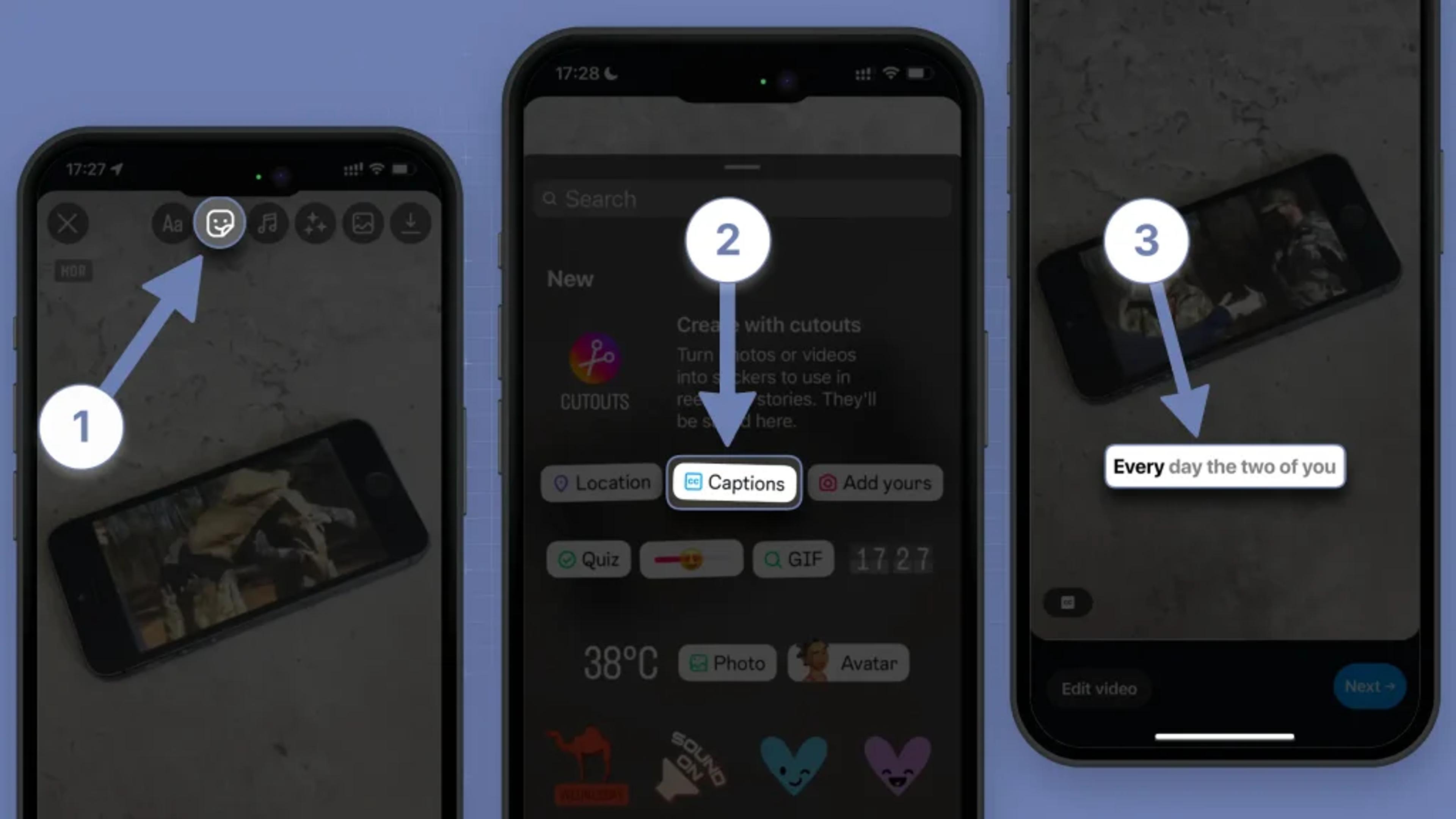
Although it’s Instagram’s feature, many TikTok creators use Instagram’s native captioning to generate text overlays and then export the video to TikTok. This feature is perfect for creators who are active on both platforms.
Pros:
- Built directly into Instagram
- Free to use for caption overlays
- Quick caption application with no extra tools
- Perfect for Instagram-TikTok cross-posting
Cons:
- Limited customization options
- No automatic subtitle generation
- Requires exporting from Instagram to TikTok
- Not ideal for long-form content
Top features:
- Integrated into the Instagram app for fast captioning
- Easy text overlay captions
- Free and perfect for Instagram and TikTok videos
- Quick and real-time editing
Pricing: Free within the Instagram app.
FAQs:
What is the best app for adding captions to TikTok videos?
Zubtitle is the best app for adding captions to TikTok videos. It automatically generates captions for your videos, making it quick and easy to enhance your content.
What is the best free captioning tool for TikTok?
Kapwing is the best free captioning tool for TikTok. It offers auto-captioning and text editing features with a simple, browser-based interface.
What is the easiest captioning tool to use for TikTok?
TikTok’s Native Captioning Feature is the easiest to use since it’s built right into the app. With a single click, captions can be automatically generated and edited in real-time.
Which app is best for customizing captions on TikTok?
VEED offers the most customization options for captions, allowing users to change text styles, fonts, and animations to match their content.
Which tool is best for cross-posting between Instagram and TikTok?
Instagram’s Native Captioning Feature is great for creators who cross-post videos between Instagram and TikTok. You can easily create captions on Instagram and export your video for TikTok.

About Ananay Batra
Founder and CEO @ Listnr Inc
Ananay is the Founder & CEO of Listnr AI, he started Listnr with $100 in the bank back in 2020 and scaled it to 3.5m users across 200 countries and $1.2m in revenue.
https://ananay.ai/